
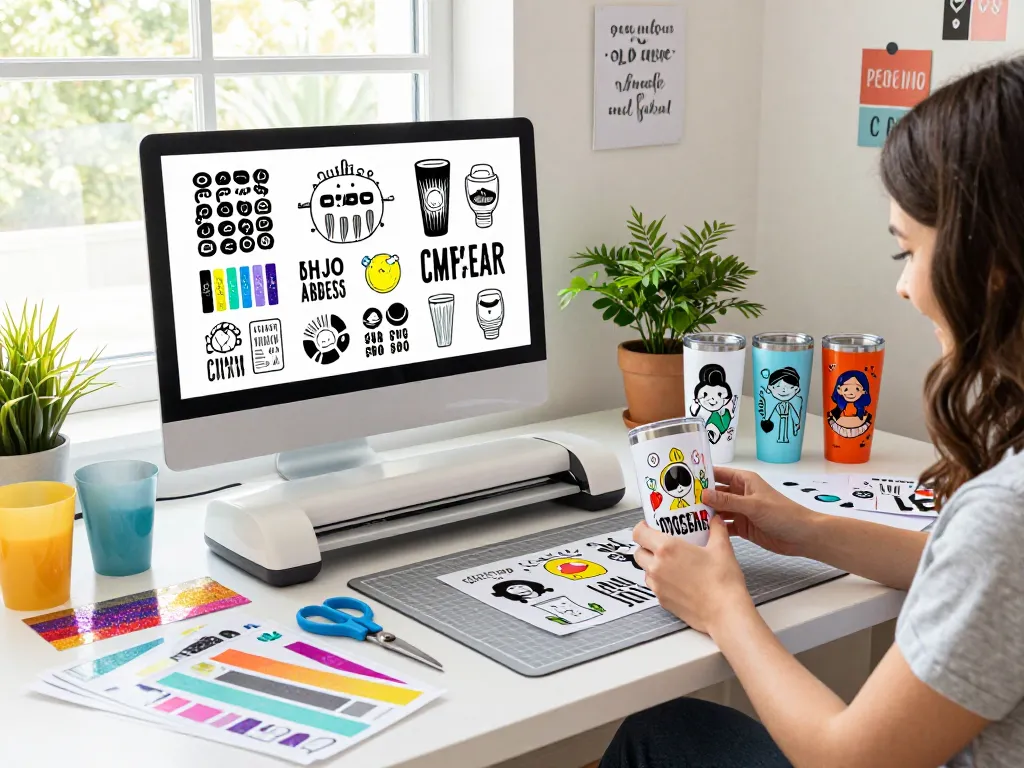
Understanding Svg Files and Their Importance in Crafting
In the world of crafting, particularly with tools like Cricut machines, understanding SVG files is essential. These files allow crafters to create intricate designs, from personalized tumblers to custom apparel. As we delve into the significance of SVG files, we’ll uncover what they are, their benefits, and how they enhance creative projects. Svg files provide a robust foundation for various design applications, making them a favorite among DIY enthusiasts and professionals alike.
What are Svg Files?
SVG stands for Scalable Vector Graphics, a versatile file format used to create two-dimensional graphics. Unlike raster images, such as JPEG or PNG files, SVG files are vector-based, which means they can be scaled infinitely without losing quality. This attribute makes them particularly useful for crafting projects that require precision and detail, such as creating decals, stickers, and custom designs for tumblers.
Benefits of Using Svg Files for Tumbler Designs
There are numerous advantages to utilizing SVG files in tumbler design. Here are some key benefits:
- Scalability: SVG files maintain their quality regardless of size adjustments, allowing crafters to create designs tailored to various tumbler sizes.
- Editability: SVG files can be easily modified in design software, enabling users to change colors, shapes, and other elements effortlessly.
- Lightweight: These files are typically smaller in size compared to traditional image formats, which makes them easier and quicker to upload and work with.
- Precision Cutting: When paired with cutting machines like Cricut, SVG files ensure precise cuts, leading to professional finishes in crafting projects.
Popular Uses of Svg Files in DIY Projects
SVG files are not limited to tumbler designs; they have a broad range of applications in DIY projects. Some of the most popular uses include:
- Custom Apparel: Creating personalized t-shirts, hoodies, and other clothing items with intricate designs.
- Home Decor: Designing wall art, banners, and seasonal decorations.
- Scrapbooking: Crafting embellishments and layouts for scrapbooks and journals.
- Gift Items: Making unique gifts for special occasions, like personalized mugs or custom-printed bags.
How to Choose the Best Svg Files for Your Projects
Choosing the right SVG files for your projects can significantly impact your crafting experience. Here are some essential tips to guide you:
Identifying Quality Svg Files for Crafts
Quality SVG files can make or break your project. Look for files that come from reputable sources, as these often feature clean lines and detailed designs. Ensure that the files are compatible with your cutting machine, as low-quality files can lead to poor cutting results. Additionally, check for user reviews or community feedback about specific SVG bundles before making a purchase.
Exploring Sources for Free and Paid Svg Files
There are numerous sources for obtaining SVG files, both free and paid. Websites like Svg files offer an extensive library, which includes bundles at competitive prices. On the other hand, platforms like Creative Fabrica and Design Bundles boast a vast range of free options along with premium files. Evaluate your needs and budget to find the right balance between quality and cost.
Evaluating Compatibility with Cutting Machines
Before purchasing SVG files, verify that they are compatible with your cutting machine. Most SVG files work seamlessly with Cricut and Silhouette machines, but always check the file specifications. It’s also a good idea to download trial files to test compatibility before committing to larger bundles.
Step-by-Step Guide to Designing with Svg Files
Once you’ve selected your SVG files, it’s time to get started on your tumblers or other projects. Here’s a detailed guide to help you navigate the design process:
Preparing Your Workspace for Cricut Projects
A well-organized workspace can boost your productivity while working with SVG files. Gather your materials, including your Cricut machine, cutting mats, weeding tools, and transfer tape. Additionally, ensure that your design software is updated and that you have easy access to your chosen SVG files.
Importing and Editing Svg Files in Design Software
Importing SVG files is usually straightforward. In software like Cricut Design Space, simply upload your SVG file, and it will automatically be converted for use. Take time to explore the editing features, allowing you to resize, manipulate, or combine designs to fit your specific project needs. Don’t hesitate to get creative—modifying existing designs can lead to unique and personalized results!
Tips for Effective Cutting and Application Techniques
For the best results when cutting SVG files, consider the following tips:
- Choose the Right Material: Depending on your project, select materials compatible with your cutting machine, such as vinyl, cardstock, or heat transfer materials.
- Test Cuts: Performing a test cut on scrap material can minimize waste and ensure that settings are optimized for the specific SVG file.
- Weeding Carefully: After cutting, carefully remove excess material from your design, using tools designed to ease this process.
- Application Techniques: Use transfer tape for vinyl projects to ensure proper placement and adherence to tumblers or other surfaces.
Trends in Tumbler Design: What’s New in 2026
The world of tumbler design is continuously evolving. Here are some key trends that are shaping the landscape for 2026:
Innovative Svg Designs for Seasonal Tumblers
This year, expect to see a surge in seasonal designs that incorporate popular themes and graphics. SVG files reflecting holidays, seasons, and trending motifs can transform an ordinary tumbler into a statement piece. Patterns like floral designs in the spring or cozy themes during winter are gaining traction among crafters.
Color and Material Trends for Tumblers
Color psychology plays a significant role in design trends. In 2026, muted tones and earth colors are favored, which align well with eco-friendly materials. This shift toward sustainability is influencing not only the colors and designs but also the materials used in tumbler production.
How to Stay Ahead of Design Trends Using Svg Files
To maintain a competitive edge, regularly explore new SVG file releases and design communities. Engage with other crafters, attend workshops, and follow design trends on social media. Subscribing to email newsletters from platforms offering SVG files can keep you informed about the latest trends and releases.
Frequently Asked Questions About Svg Files
As you delve deeper into the world of SVG files, you may have questions. Here are some common inquiries:
Where can I find high-quality Svg files for tumblers?
High-quality SVG files can be found on various platforms that specialize in craft supplies. Websites like SVG Bundle and Creative Fabrica are great resources for both free and paid files.
What’s the difference between Svg and other file formats?
The main difference lies in their structure. SVG files are vector graphics, scalable without losing quality, while formats like PNG are raster-based and can pixelate when resized. This makes SVG files preferable for intricate designs in crafting.
Can I use Svg files for commercial purposes?
This largely depends on the licensing of the SVG files. Always check the terms of use provided by the source. Many files can be used commercially, but some may require a special license for such purposes.
How do I troubleshoot issues with Svg files?
If you encounter problems with SVG files, common solutions include checking compatibility with your software, ensuring that the file is not corrupted, or seeking assistance from user forums related to your cutting machine.
What software is best for editing Svg files?
Popular software options for editing SVG files include Adobe Illustrator, Inkscape, and Cricut Design Space. Each of these tools offers unique features that cater to different skill levels and project types.